The decision record of Kubernetes
Who decided, on what evidence, and what has gone stale.
KEP Brain reads the Kubernetes Enhancement Proposals, their tracking issues and pull requests into one graph, keeps the history of every state, and answers only from records it can cite.
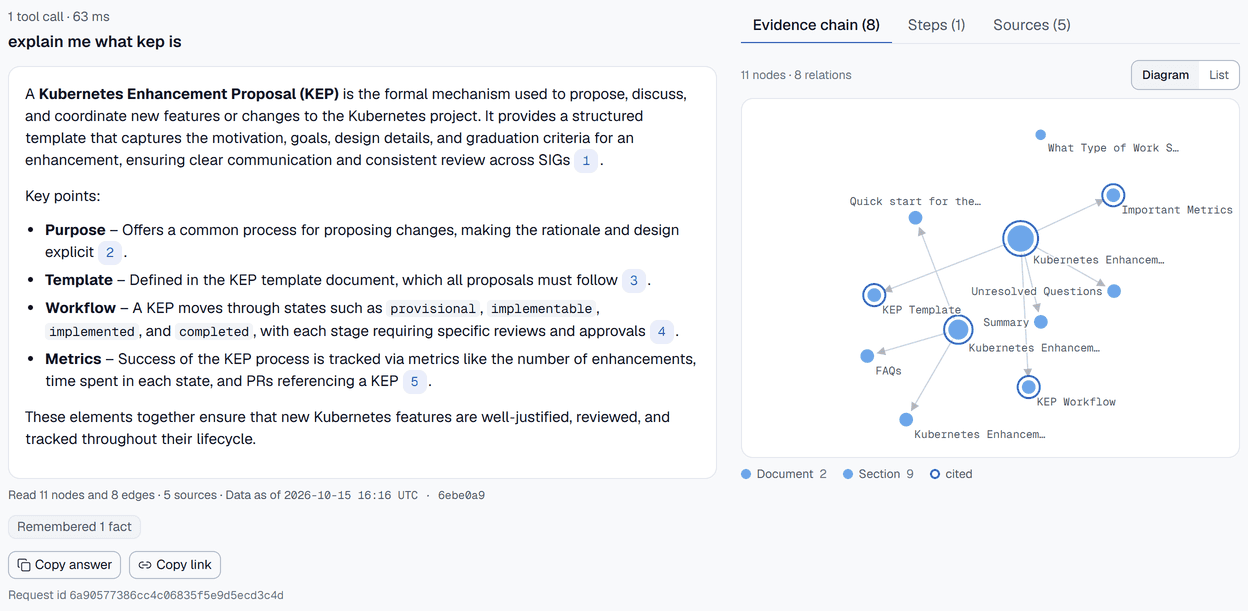
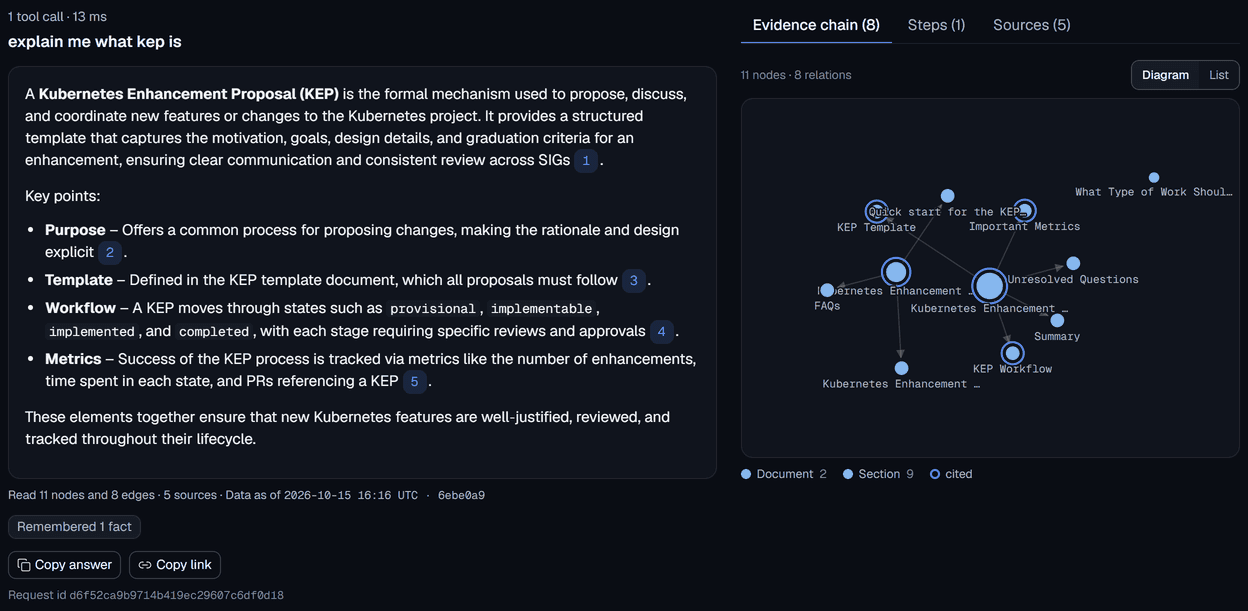
Reads live from kubernetes/enhancements, kubernetes/community and the OWNERS files; nothing ships pre-populated.
Ask
Every sentence cites a record in the graph.
Ask why a KEP is designed the way it is, who approved it, or what changed since a release. The answer shows the path it walked through the graph, and a validator drops any claim that no returned record supports.
Ask a question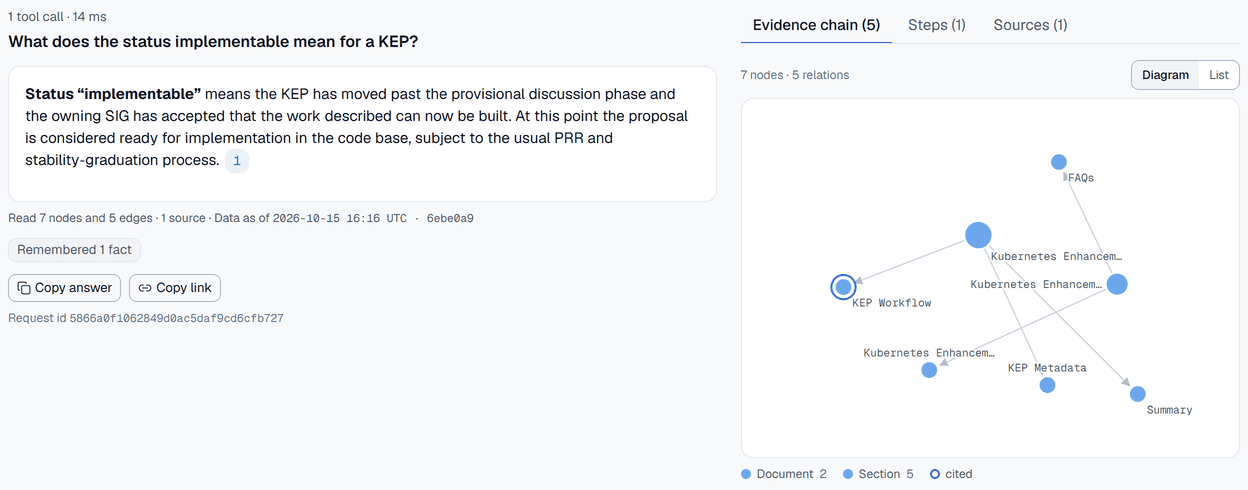
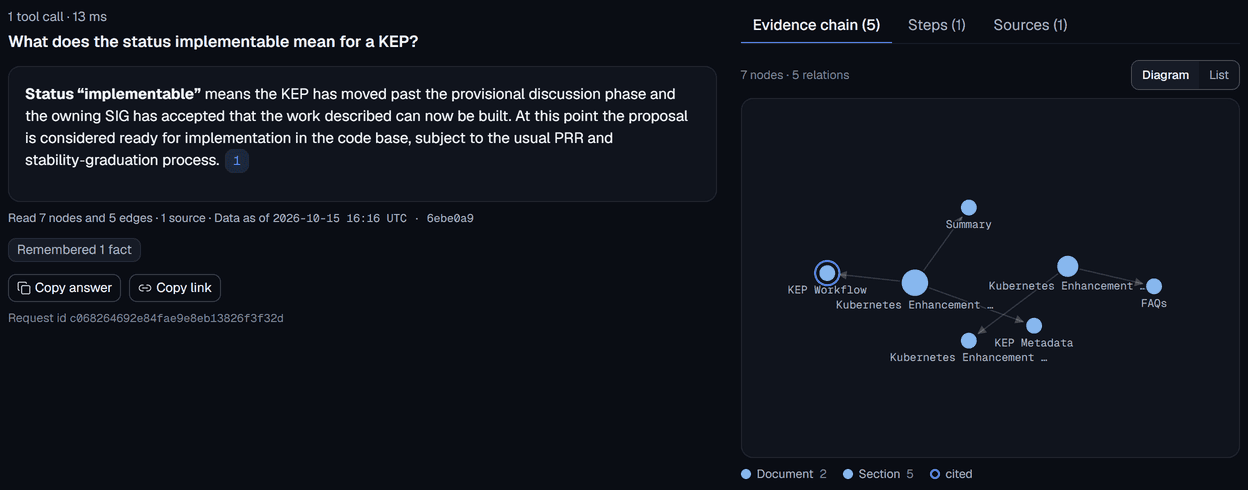
KEP page
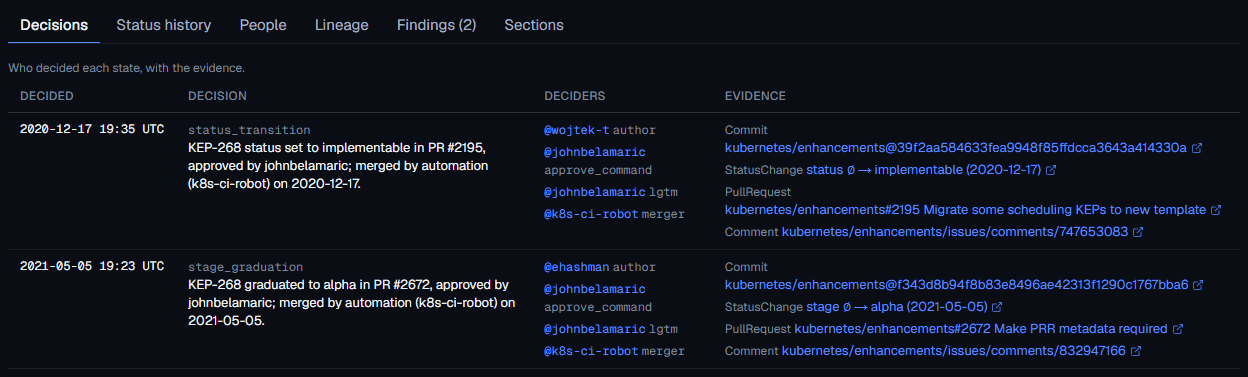
Who decided each state, with the commit and pull request.
Each KEP page lists its facts, status history, people and lineage. Decisions are derived from the kep.yaml history and the tracking issue, and each one names who decided, in which commit and pull request.
Browse the KEPs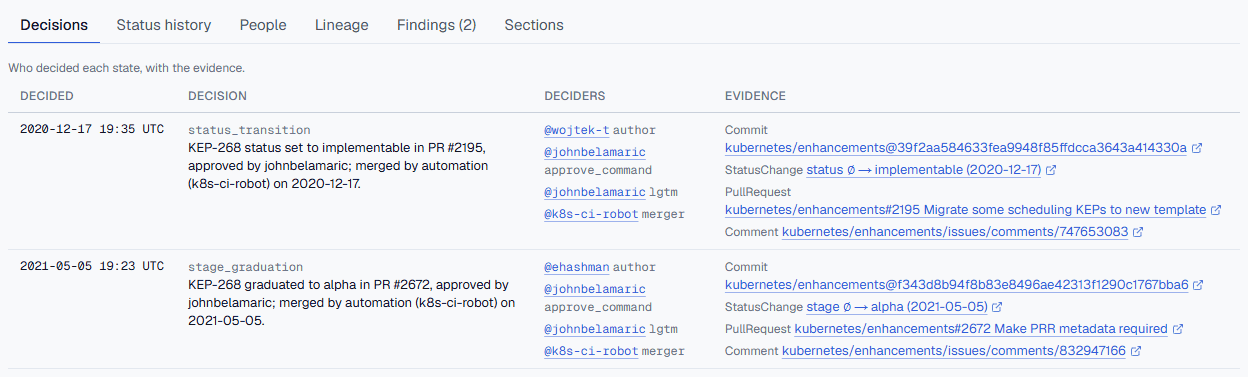
Audit
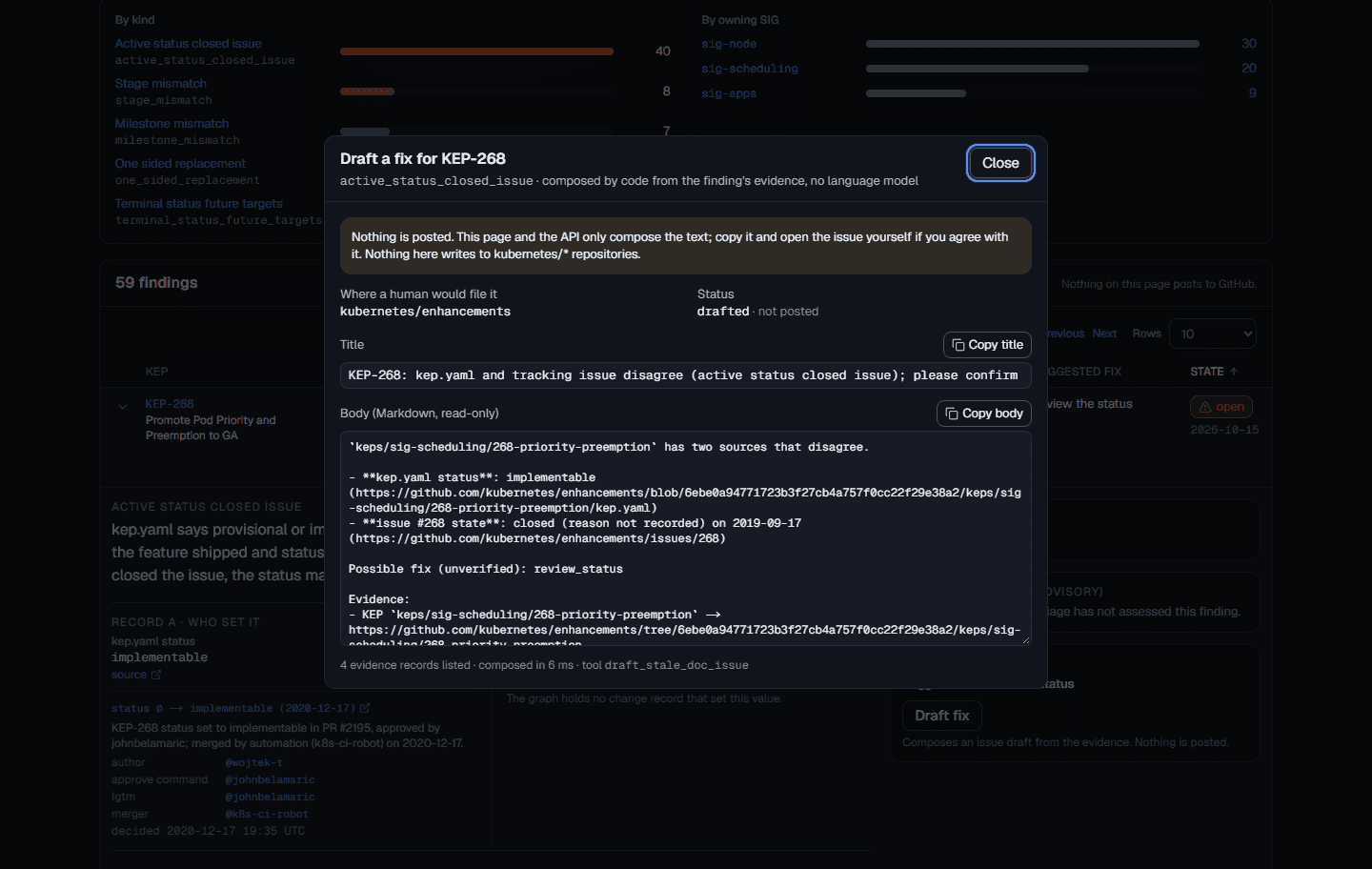
Both records, their sources, and a drafted fix. Nothing is posted.
Five predicates compare kep.yaml, the tracking issue and the replacement declarations pairwise and write each disagreement as a finding. Expand one for both sides linked to GitHub, who set each value, and an issue text composed from the evidence for a human to paste.
See the audit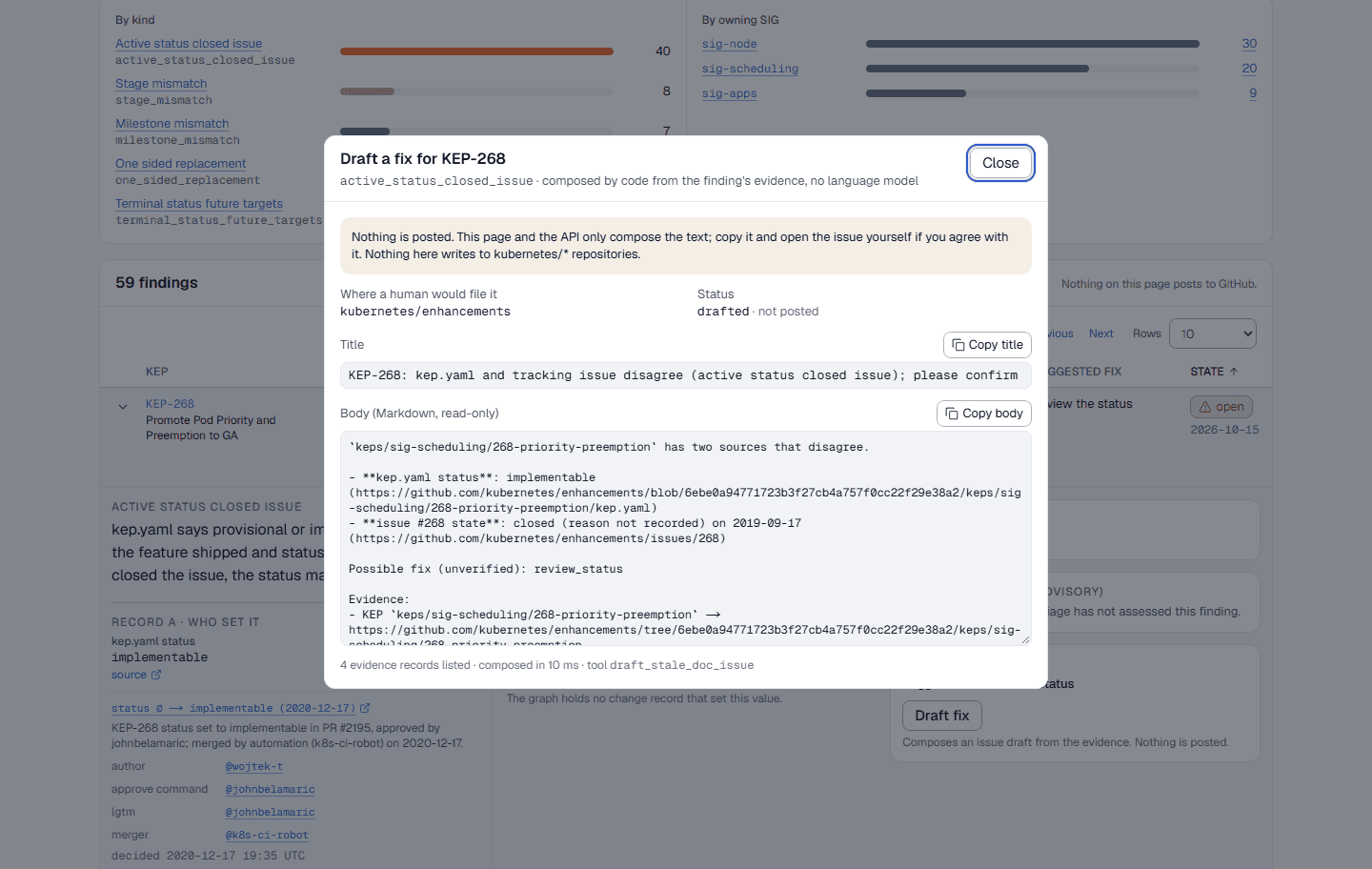
How it works
Read everything live, keep the history, answer only from evidence.
Ingest from public GitHub
Clones kubernetes/enhancements and kubernetes/community, reads the OWNERS files, and fetches tracking issues, timelines, pull requests and review threads.
One graph that remembers
Every state edge carries the interval it was valid for, so “current” and “as of a release” are the same graph with a different filter.
Answers with sources, or none
Questions run over read-only graph tools. A validator checks that every claim cites a record read in that request, or the answer becomes an abstention.
The graph
One FalkorDB graph does all of it.
validity intervals
State edges carry valid-from and valid-to, so history is a filter, not a copy.
MERGE sync
Every ingest run is idempotent: re-running it changes nothing that has not changed.
read-only queries
Each tool runs a parameterised read-only query under a timeout; no tool writes.
PageRank
Ranks decisions by how the records around them connect, to weigh what matters in an area.
shortest paths
The evidence chain behind an answer is the shortest path between the records it cites.
full-text search
KEPs, people and SIGs are found through a full-text index, in the search box and the tools.
By design
Built to be checked.
- Every claim cites a record returned for that question; otherwise the answer is an abstention.
- GitHub is read-only: fixes are drafted for a human to paste.
- People are stored by public GitHub login only; e-mail addresses in the sources are never read into the graph.
- Uncertainty is shown: the audit page reports how many findings have been hand-checked.
Start with a question.
Or open a KEP and read who decided each state, and when the record last agreed with itself.